Ferromagnetic Chain#
Source: python (.py) | jupyter (.ipynb)
This tutorial mirrors MATLAB spinW Tutorial 1
Introduction#
A ferromagnetic chain is the simplest system that we can simulate with pySpinW, and it makes a good introduction to setting up a calculation.
A basic calculation#
Import the main pySpinW module, doing this will give access to the majority of pySpinW methods and classes that are needed for most tasks.
from pyspinw import *
Create a 1 angstrom cubed unit cell, with angles of 90 deg
unit_cell = UnitCell(1,1,1)
Define a “site” (atom/ion/spin) within the unit cell, the position doesn’t matter for our system so we just choose the centre, \((1/2,1/2,1/2)\). In this case, we have a spin 1 system, with the spin pointing the z direction. It is also possible to definite the element type and colour for viewing here.
only_site = Site(1 / 2, 1 / 2, 1 / 2, 0, 0, 1, name="X")
We now create a Structure object.
Structure objects contain information about the crystal structure and spins, and
contains the sites, the unit cell, the symmetry group and the magnetic unit cell, or “supercell”.
The symmetry group will default to P1, and the supercell to the “trivial supercell” (i.e. where there is no
magnetic ordering other than that specified in the unit cell).
structure = Structure([only_site], unit_cell=unit_cell)
Note that in this example, we will see a warning about the choice of unit cell. This is because we have chosen a 1x1x1 unit cell, which results in more symmetries than P1 specifies. It is not of any consequence.
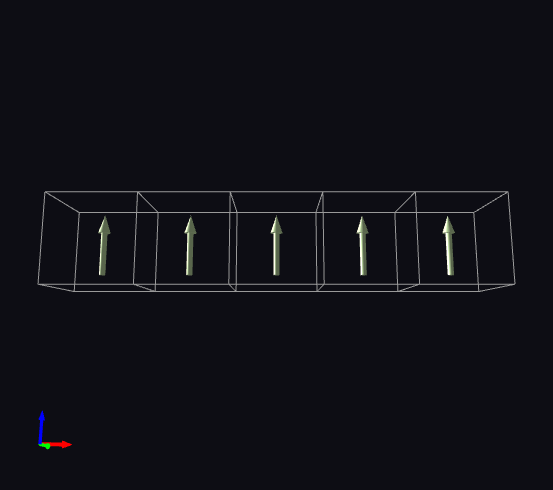
We can look at the structure using the viewer, we’ll use the copies parameter to show five copies in \(x\) direction
view(structure, copies=(5,1,1))
We now come to defining the exchanges, which we will need as a list. There are various exchange classes that we can use. They all specify the two sites involved by referencing site objects and a “cell offset”. The offset is used to specify that an exchange is between sites in differing cells, and it is zero (same unit cell) by default.
In this case we use the HeisenbergExchange object, which defines the exchange matrix
with a single parameter, “j”, which has the same sign as the energy of the exchange, i.e.
it is negative for ferromagnetic exchanges and positive for antiferromagnetic exchanges.
We only have one exchange, between neighbouring cells in the \(x\) direction.
exchanges = [HeisenbergExchange(only_site, only_site, cell_offset=(1,0,0), j=-1)]
We can also do this using generate_exchanges, which makes some things easier for bigger systems and
is more like the syntax in MATLAB spinW.
This function is overkill in our case, but we can do the same thing.
It will generate exchanges of the type specified, with the parameters specified.
In this case we constrain by distance, but other options are available,
and we apply a filter to pick out only exchanges that lie in (1,0,0) direction.
exchanges = generate_exchanges(sites=[only_site],
                               unit_cell=unit_cell,
                               max_distance=1.1,
                               exchange_type=HeisenbergExchange,
                               j=-1,
                               direction_filter=filter([1,0,0]))
Next we construct the Hamiltonian object, this contains the magnetic structure (Structure)
and a list of exchanges. It is also possible to specify single ion anisotropies here.
hamiltonian = Hamiltonian(structure, exchanges)
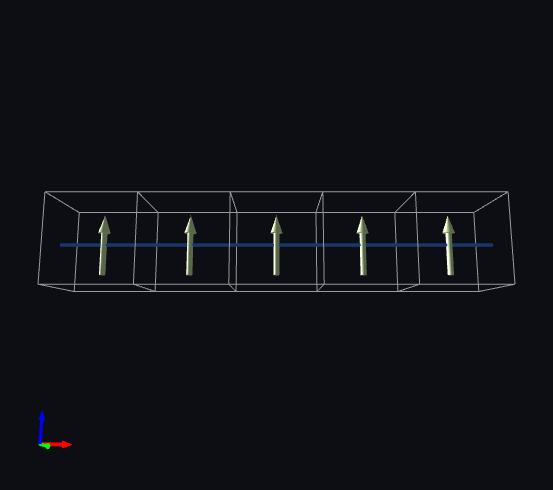
We can now see the exchanges in the viewer by viewing the hamiltonian object
view(hamiltonian, copies=(5,1,1))
Plotting#
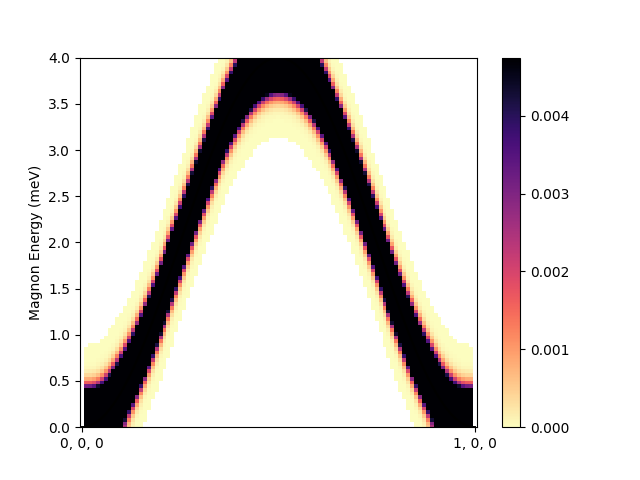
We’ll now plot the magnon spectrum of this chain.
To make a spaghetti plot we need to define a path though reciprocal space, which we define here in lattice coordinates. We look at the \(x\) direction (in the same direction as the exchanges) and go between 0 and 1 reciprocal lattice units.
path = Path([[0,0,0], [1,0,0]])
hamiltonian.spaghetti_plot(path, dE=0.4)