Supercells#
Source: python (.py) | jupyter (.ipynb)
Specifying magnetic structure at scales beyond the crystallographic unit cell is done using the Supercell
classes. The supercell allows the user to specify a pattern of spins across different unit cells, but leaves
everything else (atom positions, exchanges, anisotropies) unchanged.
Commensurate and Incommensurate Supercells#
There are two categories of supercell available, which we call “commensurate” and “incommensurate”, this distinction is made because of the different strategies that pySpinW uses for calculating different kinds of system. The two strategies are this
(1) internally, spinW can explicitly expand the supercell, creating copies of the original cell, and increasing the number of spins in the calculation by the number of cells in the supercell. This can only be done when the supercell is a rational multiple of the unit cell, or in other words, when the propagation vectors are commensurate. In comparison with the alternative strategy, this can be relatively slow as we increase the size of the system, and it can introduce “ghost modes”, where there are magnon modes with zero intensity. However, this kind of supercell is more flexible in other ways. (2) spinW can use the method from Toth and Lake to implicitly calculate magnon energies and scattering intensities for a single, potentially incommensurate, propagation vector. This can be cheaper and doesn’t have (as many) ghost modes. It can be used for improving calculations with a single commensurate propagation vector, as long as the magnetic structure can be described in this way.
There is, therefore, a choice that one must make about which is most appropriate for any given system.
Single and Multiple Component Spin Definitions#
The is another kind of distinction one can make between types of supercell based on whether they
require more information at each site than just the three components of spin.
This is the case in what we call SummationSupercell and RotationSupercell, where the spin is a
linear combination of components specified by supercell_spins, rather than sx, sy and sz
in LatticeSite constructor. Additionally, the DirectSupercell uses the supercell_spins data
as a list that specifies the spin in each cell of the supercell.
The Supercell Types#
The remainder of this tutorial runs through the different supercell options that are available in spinW.
As usual, we’ll do a * import of the main pySpinW features
from pyspinw import *
We will also use numpy
import numpy as np
Tiled Supercell (Commensurate, Single Spin Component)#
This is the simplest supercell and just makes exact copies of the original cell. It doesn’t have much real-world value, but can be useful for debugging, and for showing how supercells work.
As an example, we will make a 3x5x2 unit cell structure with a single spin in z
supercell = TiledSupercell(scaling=(3,5,2))
structure = Structure(
    [Site(0.5, 0.5, 0.5, 0, 0, 1)],
    UnitCell(1, 1, 1),
    get_spacegroup("p1"),
    supercell=supercell)
view(structure)
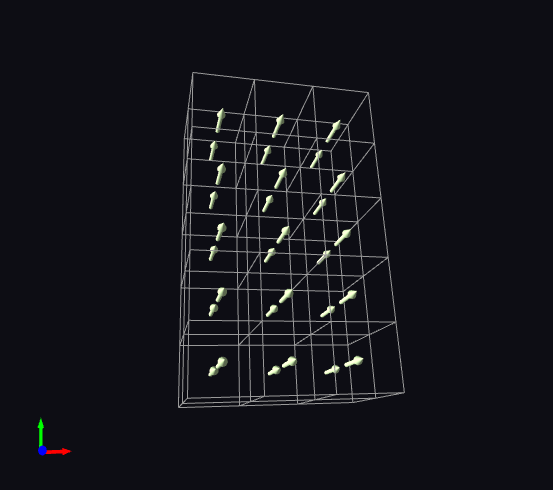
The scaling option is available for all commensurate supercells.
Summation Supercell (Commensurate, Multiple Spin Components)#
The summation supercell is probably the most common representation of magnetic structure, where each spin is defined as
\(\vec s = \text{Re} \sum_i \vec\sigma_i e^{2 \pi i k_i \cdot r + \phi_i} = \sum_i \vec\sigma_i \cos(2 \pi k_i \cdot r + \phi_i)\)
Each component, indexed by \(i\), makes sinusoidal contribution to the overall spin at each site. The \(k\) is the propagation vector, and specifies the periodicity of the component. \(r\) is determined by the individual cell (and not the position of the site within the cell). \(phi_i\) is a phase associated with each propagation vector.
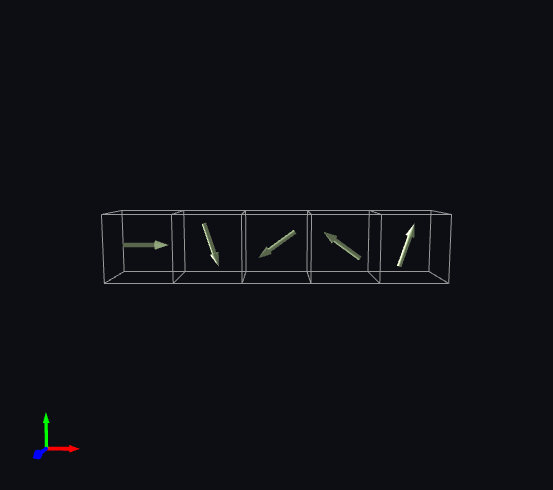
Some conventions use complex numbers, but we have chosen to use real number for everything here. The following system defines a single spin rotating by 72 degrees in the xy plane, as one moves in the x direction.
First define the spin with the first component in x, and the second component in y
site = Site(0.5, 0.5, 0.5, supercell_spins=[[1, 0, 0], [0, 1, 0]])
Now we define propagation vectors corresponding to each component, the first being a period-5 cosine, and the second, because of the phase, being a period-5 sine.
supercell = SummationSupercell([
        CommensuratePropagationVector(1/5, 0, 0),
        CommensuratePropagationVector(1/5, 0, 0, phase=np.pi/2)])
Build the structure with a 1x1x1 unit cell and show it
structure = Structure([site], UnitCell(1, 1, 1), supercell=supercell)
view(structure)
We can do more complex things with this kind of system, for example, the following system has three spins, one which always remains the same, pointing in z, one which rotates around z in x, one that makes an elliptical path in the same plane when moving in y. To do this we choose propagation vectors as follows: The first propagation vector is constant, the second and third are a pair, moving in x with period 5, the last two are also a pair, moving in y with a period of 6.
supercell = SummationSupercell([
        CommensuratePropagationVector(0, 0, 0),
        CommensuratePropagationVector(1 / 5, 0, 0),
        CommensuratePropagationVector(1 / 5, 0, 0, phase=np.pi/2),
        CommensuratePropagationVector(0, 1/6, 0),
        CommensuratePropagationVector(0, 1/6, 0, phase=np.pi / 2)
    ])
The entries of supercell_spins are then set to zero when they don’t change with the propagation vector.
The ellipsoidal spin lengths are specified by scaling the last component.
sites = [
    Site(0, 0, 0.5, supercell_spins=[[0, 0, 1], [0, 0, 0], [0, 0, 0], [0, 0, 0], [0, 0, 0]], color=(1, 0, 0)),
    Site(0.5, 0, 0.5, supercell_spins=[[0, 0, 0], [1, 0, 0], [0, 1, 0], [0, 0, 0], [0, 0, 0]], color=(0, 1, 0)),
    Site(0, 0.5, 0.5, supercell_spins=[[0, 0, 0], [0, 0, 0], [0, 0, 0], [1, 0, 0], [0, 2, 0]], color=(0, 0.3, 0.8)),
    ]
Build the system and show it
structure = Structure(sites, UnitCell(2, 2, 1), supercell=supercell)
view(structure)
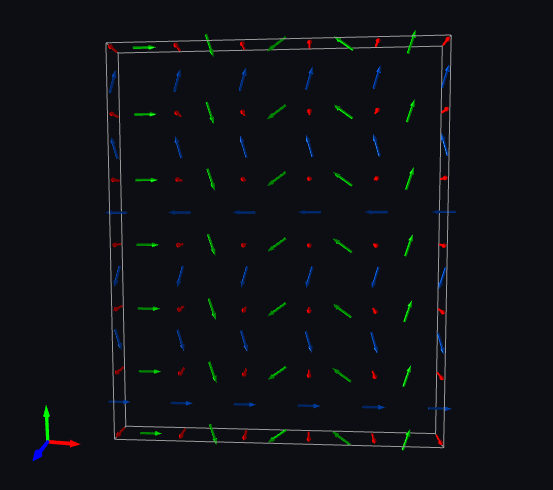
Whilst quite general, there is a disadvantage in specifying the system this way, as the magnitude of spins are not conserved automatically, one must assure this oneself (if it matters). Transformation supercells can be better if this is a concern.
If one is doing a ground state optimisation, it might be better to use the transformation supercell.
Transformation Supercell (Commensurate, Single Spin Component)#
TransformationSupercell works by apply transformations to the spins in the original unit cell.
Currently, only RotationTransform is available by default, but different kinds of transformation
are possible by subclassing Transformation.
We being with a spin pointing in x
site = Site(0.5, 0.5, 0.5, 1, 0, 0)
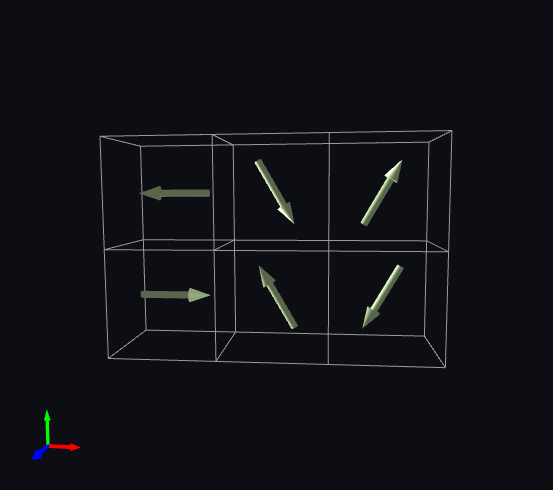
We then rotate first around z by 180 degrees per y cell, then 120 degrees per x cell
supercell = TransformationSupercell([
        (CommensuratePropagationVector(0, 1/2, 0), RotationTransform([0, 0, 1])),
        (CommensuratePropagationVector(1/3, 0, 0), RotationTransform([0, 0, 1])),
        ])
Build the structure and view it
structure = Structure(
    [site],
    UnitCell(1, 1, 1),
    get_spacegroup("p1"),
    supercell=supercell)
view(structure)
Rotation Supercell (Incommensurate, Single Spin Component)#
The next supercell is the RotationSupercell, which is necessary for running incommensurate calculations.
Building these automatically can be made easier using generate_helical_structure. But we will
go through the more explicit set-up here.
First we define a site with a component in the plane of the spin
site = Site(0.5, 0.5, 0.5, 1, 0, 0)
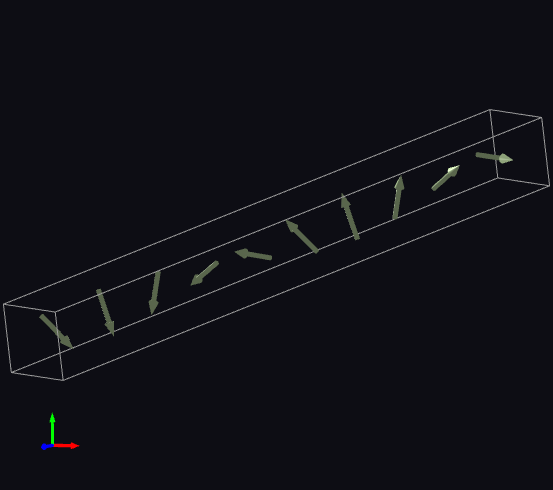
We next build a supercell, this takes a parameter called “perpendicular” (first argument) which defines the normal to the plane in which the spin rotates. The spin will rotate by amount given by the period of the propagation vector.
supercell = RotationSupercell([0,0,1], PropagationVector(0,0,1/np.sqrt(101)))
Build the structure and view, if the propagation vector is truly incommensurate, the viewer will only
show a finite number of cells (controlled by the rotation_supercell_expansion_max parameter)
structure = Structure(
    [site],
    UnitCell(1, 1, 1),
    get_spacegroup("p1"),
    supercell=supercell)
view(structure)
Rotation supercells have an approximant method, which makes a commensurate supercell which
approximately matches the incommensurate propagation vector.
approximant takes a parameter called max_denominator which is the maximum periodicity (maximum
denominator of the propagation vector components) of the approximated supercell. In this case we
set it to 100.
approximant_supercell = supercell.approximant(100)
structure = Structure(
    [site],
    UnitCell(1, 1, 1),
    get_spacegroup("p1"),
    supercell=approximant_supercell)
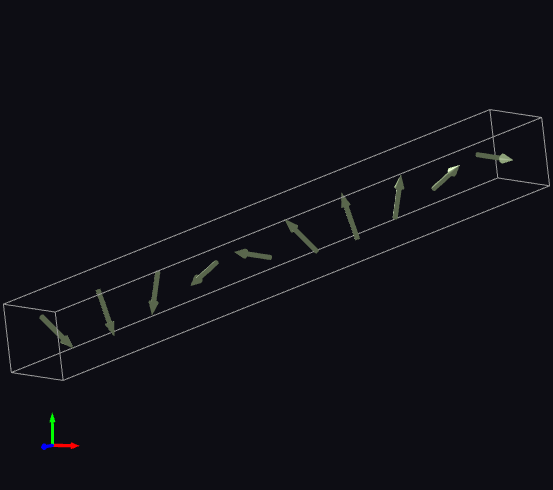
With a max_denominator of 100, we see that it has approximated the period \(\sqrt{101}\) (\(\approx 10.04987562...\))
with a commensurate supercell with a period of exactly 10.
structure.print_summary()
Unit Cell: (1, 1, 1), alpha=90, beta=90, gamma=90
Spacegroup: P 1
Supercell: Transformation
  size = (1, 1, 10)
  CommensuratePropagationVector(1, 1, 1/10), RotationTransform(0.0, 0.0, 1.0)
Sites:
  Site(0.5, 0.5, 0.5, spin=[1. 0. 0.])
and it looks pretty similar
view(structure)
Direct Supercell (Commensurate, Multiple Spin Components)#
The final supercell is the DirectSupercell, this uses the spin components to specify the spin in each unit cell explicitly.
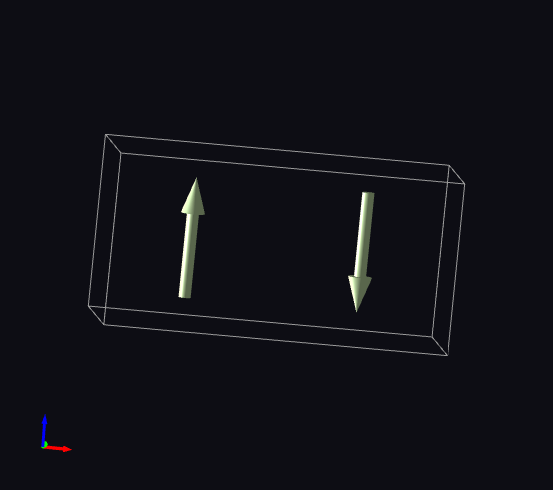
A simple example of using this might be specifying a 2x1x1 cell with different spins in each cell; in this case in \(z\) and \(-z\)
site = Site(1 / 2, 1 / 2, 1 / 2, supercell_spins=[[0, 0, 1], [0, 0, -1]])
supercell = DirectSupercell(2,1,1)
unit_cell = UnitCell(1,1,1)
structure = Structure([site], unit_cell, supercell=supercell)
view(structure)
This supercell also has a helper function for setting either individual spins or groups of spins.
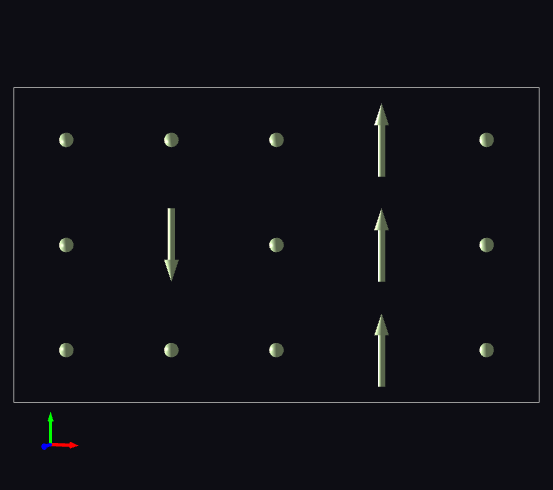
In this example we will make a 3x5x1 supercell, set a single spin in \(-y\), a row of spins to point in \(y\), and otherwise zero.
First we create the site and supercell
site = Site(1 / 2, 1 / 2, 1 / 2, 0, 0, 0)
supercell = DirectSupercell(5,3,1)
Set a single spin one in from the edge to point in the \(-y\) direction
supercell.spins_for(site)[1, 1, 0] = 0, -1, 0
Set a row of spins in the \(y\) direction to point in the \(y\) direction
supercell.spins_for(site)[3, :, 0] = 0, 1, 0
Create the structure and view it
structure = Structure([site], unit_cell, supercell=supercell)
view(structure)