
swplot.arrow#
Syntax#
hPatch = swplot.arrow(rStart, rEnd, R, alpha, lHead)
hPatch = swplot.arrow(rStart, rEnd, R, alpha, lHead, nPatch)
hPatch = swplot.arrow(handle, ...)
Description#
hPatch = swplot.arrow(rStart, rEnd, R, alpha, lHead) draws 3D arrows
between a given start and end position. The arrows will be a triangulated
patch object.
hPatch = swplot.arrow(rStart, rEnd, R, alpha, lHead, nPatch) creates
arrows with \(5 n_{patch}\) number of patch faces per arrow.
hPatch = swplot.arrow(handle, ...) adds the generated patch object to a
given axis if handle is an axis handle or adds the arrows to an
existing patch object, if the given handle points to a patch
object.
Examples#
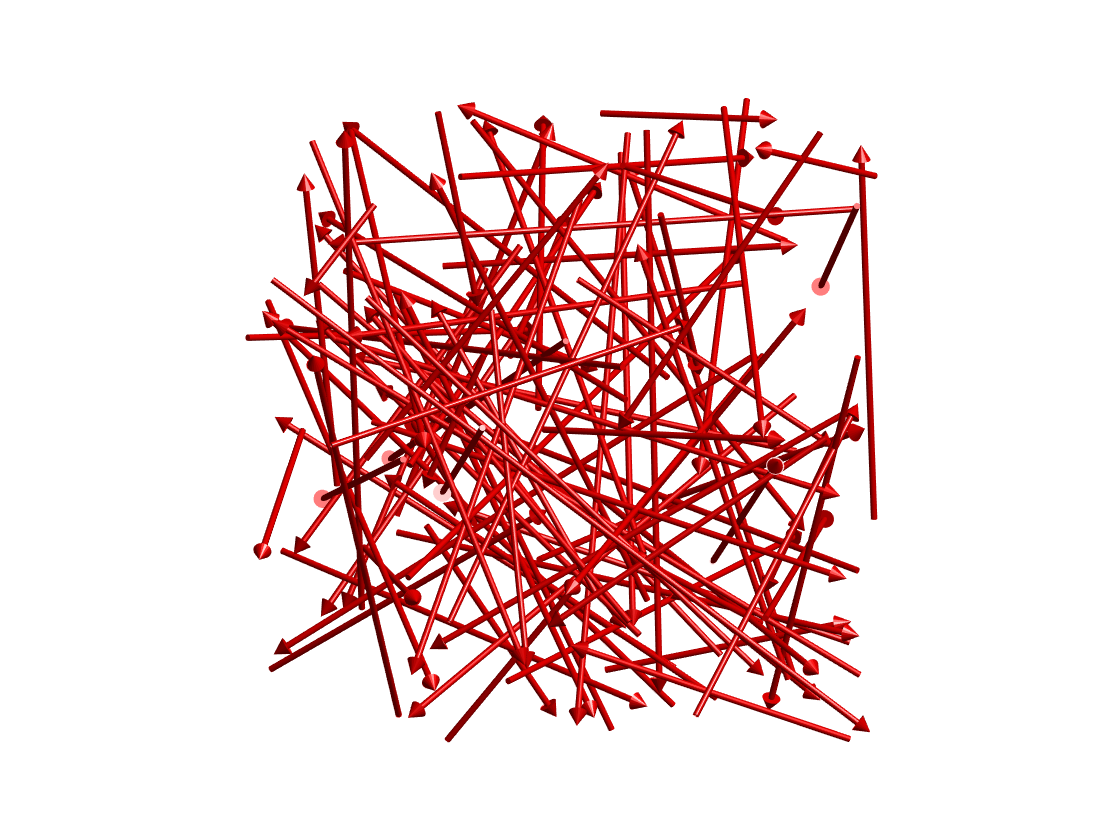
Draw a 100 random arrows in the \((\pm 1,\pm 1,\pm 1)\) cube:
swplot.figure
N = 100
swplot.arrow(2*rand(3,N)-1,2*rand(3,N)-1,0.01,30,0.05)
swplot.zoom(40)
Input Arguments#
handleHandle of an axis or triangulated patch object. In case of patch object, the constructed faces will be added to the existing object.
rStartCoordinates of the arrow starting point, one vector per arrow in a matrix with dimensions of \([3\times n_{obj}]\).
rEndCoordinates of the arrow end point, one vector per arrow in a matrix with dimensions of \([3\times n_{obj}]\).
RRadius of the arrow body, scalar.
alphaAngle of the head in degree.
lHeadLength of the head.
nPatchNumber of points on the circle of the body, default value is stored in
swpref.getpref('npatch'). The final patch object will have \(5n_{patch}\) number of faces and \(3n_{patch}\) number of vertices.