
Tutorial 2#
Antiferromagnetic nearest-neighbour spin chain#
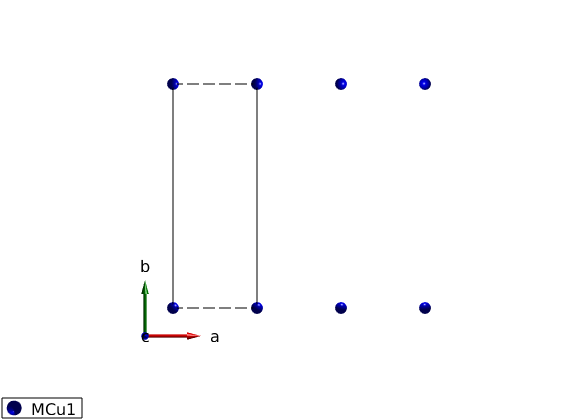
Definition of crystal structure, shortest bonds along the a-axis magnetic Cu+ atoms with S=1 spin.
Define the lattice#
AFMchain = spinw;
AFMchain.genlattice('lat_const',[3 8 8],'angled',[90 90 90],'spgr',0);
AFMchain.addatom('r',[0 0 0],'S',1,'label','MCu1','color','blue');
disp('Magnetic lattice:')
AFMchain.table('matom')
plot(AFMchain,'range',[3 1 1])
Magnetic lattice:

ans =

  1x4 table

    matom     idx    S        pos
    ______    ___    _    ___________

    'MCu1'     1     1    0    0    0
Create antiferromagnetic interactions#
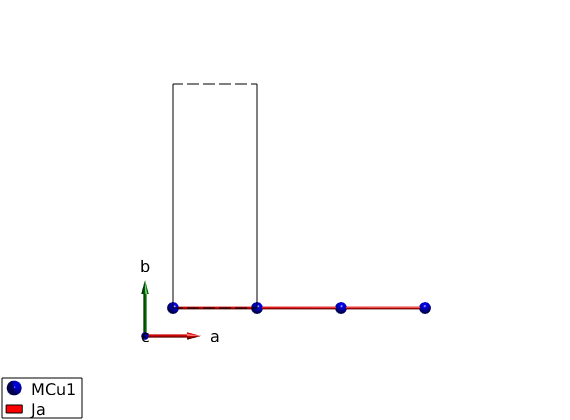
Ja = 1 meV, positive sign denotes antiferromagnetic interaction.
AFMchain.gencoupling('maxDistance',7)
AFMchain.table('bond',[1 2])

AFMchain.addmatrix('label','Ja','value',1,'color','red');
AFMchain.addcoupling('mat','Ja','bond',1);
disp('After assigning a matrix to a bond:')
AFMchain.table('bond',[1 2])
plot(AFMchain,'range',[3 0.9 0.9])
ans =

  2x10 table

    idx    subidx        dl             dr         length    matom1    idx1    matom2    idx2        matrix
    ___    ______    ___________    ___________    ______    ______    ____    ______    ____    ______________

     1       1       1    0    0    1    0    0      3       'MCu1'     1      'MCu1'     1      ''    ''    ''
     2       1       2    0    0    2    0    0      6       'MCu1'     1      'MCu1'     1      ''    ''    ''

After assigning a matrix to a bond:

ans =

  2x10 table

    idx    subidx        dl             dr         length    matom1    idx1    matom2    idx2         matrix
    ___    ______    ___________    ___________    ______    ______    ____    ______    ____    ________________

     1       1       1    0    0    1    0    0      3       'MCu1'     1      'MCu1'     1      'Ja'    ''    ''
     2       1       2    0    0    2    0    0      6       'MCu1'     1      'MCu1'     1      ''      ''    ''
Two ways of defining the magnetic structure#
Define all spins#
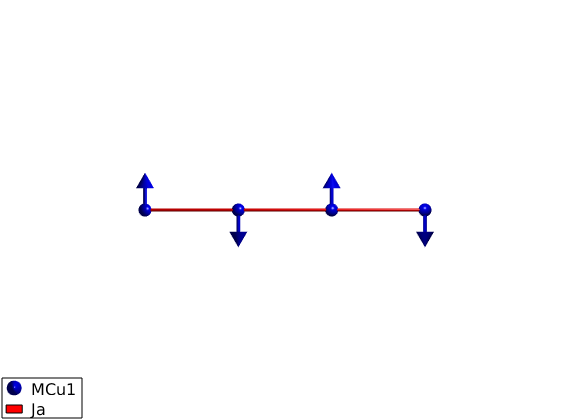
We define a magnetic supercell 2x1x1 of the crystal cell and define both spin direction in the supercell with the following parameters:
magnetic ordering wave vector k = (1/2 0 0)
spins pointing along +/- y direction: S = [[0 1 0]’ [0 -1 0]’]
normal to the spin vectors n = (1 0 0)
AFMchain.genmagstr('mode','direct','k',[1/2 0 0],'n',[1 0 0],'S',[0 0; 1 -1;0 0],'nExt',[2 1 1]);
Define only one spin#
We define the spin direction in the crystallographic unit cell and let the sw.genmagstr() function generate the other spin based on the magnetic ordering wave vector and normal vectors. This method is usefull for creating complex structures. Both methods gives the same magnetic structure, all stored values in the afchain.mag_str field are the same.
AFMchain.genmagstr('mode','helical','k',[1/2 0 0],'n',[1 0 0],'S',[0; 1; 0],'nExt',[2 1 1]);
disp('Magnetic structure:')
AFMchain.table('mag')

% Ground state energy
AFMchain.energy
plot(AFMchain,'range',[3 0.9 0.9],'cellMode','none','baseMode','none')
Magnetic structure:

ans =

  2x8 table

    num    matom     idx    S      realFhat         imagFhat           pos              kvect
    ___    ______    ___    _    _____________    _____________    ___________    _________________

     1     'MCu1'     1     1    0     1     0    0     0     1    0    0    0    0.5      0      0
     2     'MCu1'     1     1    0    -1     0    0     0    -1    1    0    0    0.5      0      0

Ground state energy: -1.000 meV/spin.
Spin wave spectrum#
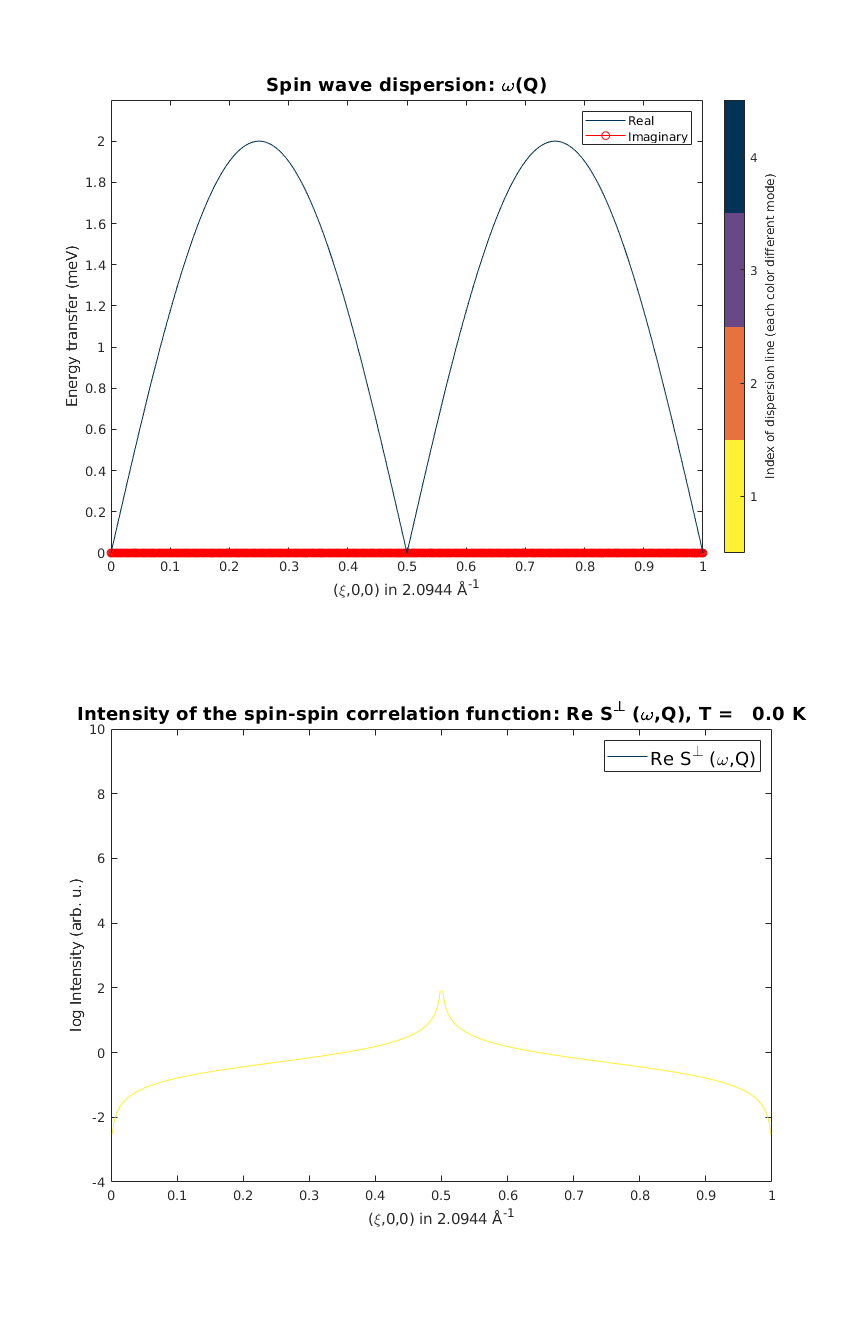
We calculate the spin wave spectrum and neutron scattering cross sections along the chain direction. The neutron scattering cross section is plotted together with the dispersion (black line).
afcSpec = AFMchain.spinwave({[0 0 0] [1 0 0] 523}, 'hermit',true);
figure
subplot(2,1,1)
sw_plotspec(afcSpec,'mode',4,'dE',0.2,'axLim',[0 3])

% To calculate the intensity, we need to sum up the intensity of the two
% degenerate spin wave mode using the sw_omegasum() function. We plot the
% logarithm of the intensity.

afcSpec = sw_neutron(afcSpec);
afcSpec = sw_egrid(afcSpec,'Evect',linspace(0,6.5,500),'component','Sperp');
afcSpec = sw_omegasum(afcSpec,'zeroint',1e-6);
subplot(2,1,2)
sw_plotspec(afcSpec,'mode',2,'log',true,'axLim',[-4 10])

% Position the figure on the screen, similarly how subplot() positions the
% axes on the figure.
swplot.subfigure(1,3,1)
Written by
Bjorn Fak & Sandor Toth
06-Jun-2014, 06-Feb-2015
Published with MATLAB® R2018b